3/1-3/4

We had no school on Monday so on Tuesday, I decided to work on the Word Clock after the big break I took on it. I will have to find my own time to paint the Jukebox, I don't know if I will be able to post photos because I haven't painted it but I will draw what I want it to look like. It will be a guide for me to follow, when it's done I will bring it back into the shop; screw the music box in and leave is in the shop as an accessory for my desk. I am excited for the day when I'm not busy with homework and can start painting.
Now for the Giant Word Clock, I decided to pick it back up and work on writing the Day Light Saving code. Before that, I did some research and then tested if there are any troubles with the RCT. I tested the connections for the power supply and the other connection we had to make for power to go in from both sides. I asked Mr. Christy about that connection and if the one we have already is okay but in fear of short circuiting we put heat shrinks around them.

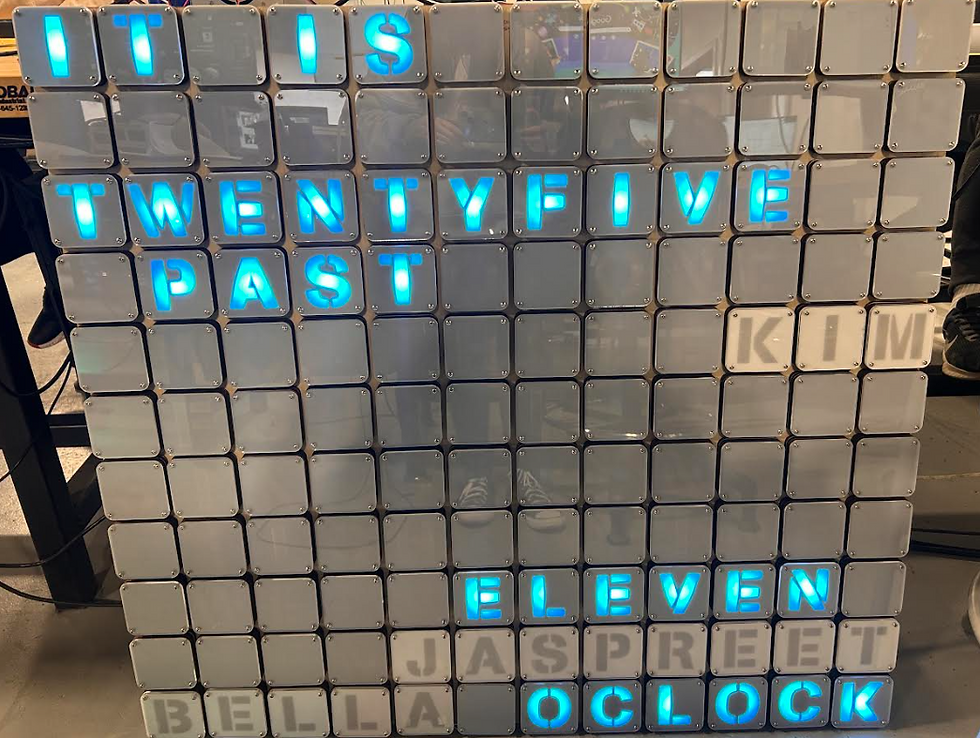
After that, I reconnected it light the whole board up. I observed it after leaving it on during lunch. The lights flicker ever so often because of the "pixel.clear" but without this code then the time wont change correctly. Mr. Christy and I decided to work together to remake the code. He taught me modulus (%) which will divide a number and the value is equal to the remainder. Instead of 5/5=1 it will be 5/5=0.
ex: ((x % 5) == 0)
X will be divided by 5 and the answer will be what the remainder is. 5/5 has the remainder of 0 and that is what we want it to equal. X is the value of minutes. This code serves the purpose that the code will be checked every 5 minutes.
After I learned mod we made a function that it will control.
void mytime() {
  pixels.clear();
  //ITS IS (below)
  pixels.setPixelColor(0, pixels.Color(50, 0, 50));
  pixels.setPixelColor(1, pixels.Color(50, 0, 50));
  pixels.setPixelColor(2, pixels.Color(50, 0, 50));
  pixels.setPixelColor(3, pixels.Color(50, 0, 50));
  //O'CLOCK (below)
  pixels.setPixelColor(84, pixels.Color(50, 0, 50));
  pixels.setPixelColor(85, pixels.Color(50, 0, 50));
  pixels.setPixelColor(86, pixels.Color(50, 0, 50));
  pixels.setPixelColor(87, pixels.Color(50, 0, 50));
  pixels.setPixelColor(88, pixels.Color(50, 0, 50));
  pixels.setPixelColor(89, pixels.Color(50, 0, 50));
  pixels.show();
  z = hours;
 // minutes = now.minute();
  int counter = minutes / 5;
  for (int y = minuteWords[counter][0]; y < minuteWords[counter][1]; y++) {
    pixels.setPixelColor(y, pixels.Color(50, 0, 50));
    if (counter > 6) {
      Serial.println("above 6");
      pixels.setPixelColor(32, pixels.Color(50, 0, 50));
      pixels.setPixelColor(33, pixels.Color(50, 0, 50));
    } else {
      Serial.println("below 6");
      Serial.println(counter);
      pixels.setPixelColor(33, pixels.Color(50, 0, 50));
      pixels.setPixelColor(34, pixels.Color(50, 0, 50));
      pixels.setPixelColor(35, pixels.Color(50, 0, 50));
      pixels.setPixelColor(36, pixels.Color(50, 0, 50));
    }
  }
This is the code that we settled with to control the time being projected. The delay is to reduce the amount of flickering.
if ((x % 5) == 0) {
Serial.println("5 minutes");
mytime();
delay(60000); } 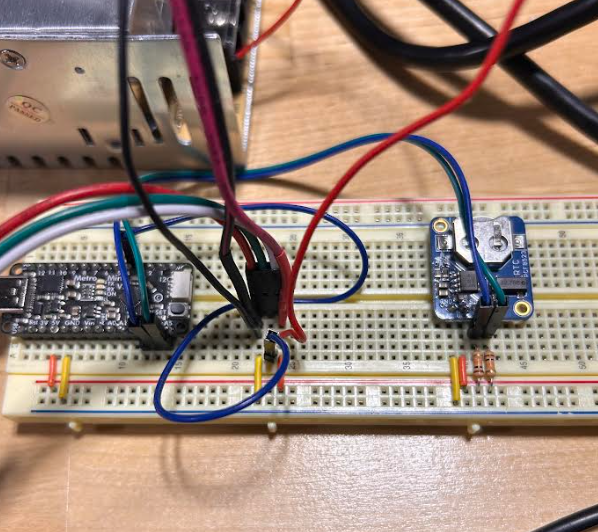

I actually couldn't use the new RCT because I would need to use a different code. I stuck with the old one in the end, it didn't read the wrong time and only a minute off which isn't a big deal.



Comments